Idk if titles can be updated but consider
chmod 666Done. Thanks!
You… You wouldn’t actually do this, would you?
@Ging @nutbutter it’s freedom of init system choice!
You’re not wrong, but …jesus what is that homeserver? I’m gonna go clean the coffee off my monitor now
@Ging this was reference to one funny musks post about mastodon few years ago (post was deleted later)
Also, mascot is green elephant reference:
https://en.wikipedia.org/wiki/The/_Green/_Elephant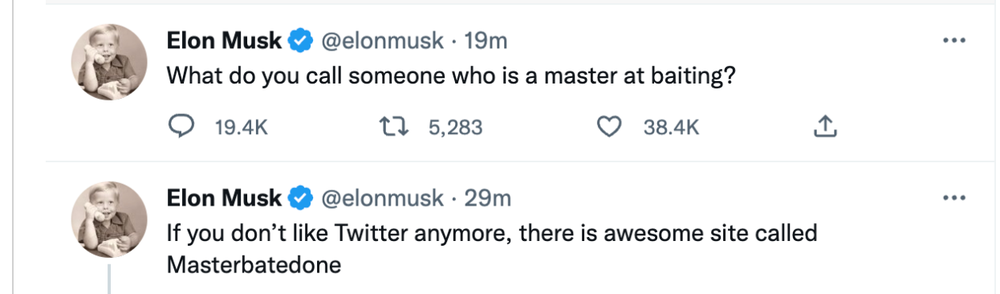
After further review, I respect this greatly :D
How does one actually use systemd? I tried making a script to trigger every time I boot up but it didn’t work out for me
This should work. Add a file
/home/username/.config/systemd/user/my_cool_service.servicewith this content:[Unit] Description=My cool service [Service] Type=oneshot ExecStart=/home/username/my_cool_script.sh [Install] WantedBy=default.targetNow add the script
/home/username/my_cool_script.sh.#!/bin/bash echo "Hello from my cool script."Enable and run the service.
$ chmod +x /home/username/my_cool_script.sh
$ systemctl --user daemon-reload
$ systemctl --user enable my_cool_service.service
# Optional:
$ systemctl --user start my_cool_service.service
$ journalctl -e --user-unit=my_cool_service # You should see the echoed string from the script.
The service should now run every time the user
usernamelogs in.
No idea what you’re taking about, but I’ll always upvote this picture.
Ooh do snap next
And then apt?
There was a mote of an idea floating about a few months back you’ve reminded me of. Basically distrohopping the hard way - start with one distro and install/remove packages until you’ve gotten to another one.
Theseus OS